
Introduction
- Ingham's supplier needs to onboard to the SLM platform to be accredited and preferred suppliers. Suppliers may enquire how to proceed with onboarding onto the platform.
- CSOs may resend the notification email containing the Step-by-Step Login Process or they may send the Step-by-Step Login Process directly to the supplier by pasting the details on the email communication.
Scope:
- All suppliers on the platform may contact customer support for assistance to onboard on the platform.
Maintenance: Quarterly
Owners:
- Robobai Customer Support Team
Instruction:
The personal invitation in your inbox from mail@robobai.com will resemble the screen below.
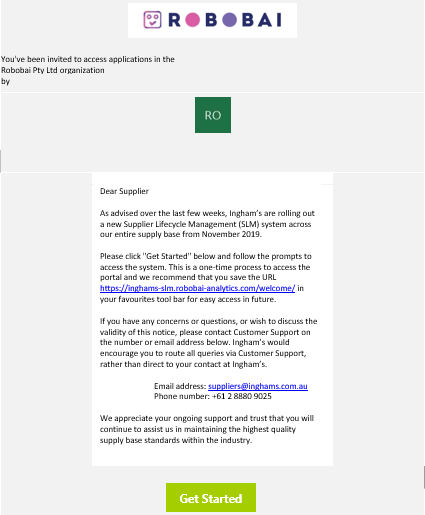
Once you click the “Get Started” link, you will be taken to a login page for the SLM that will resemble the screen below:
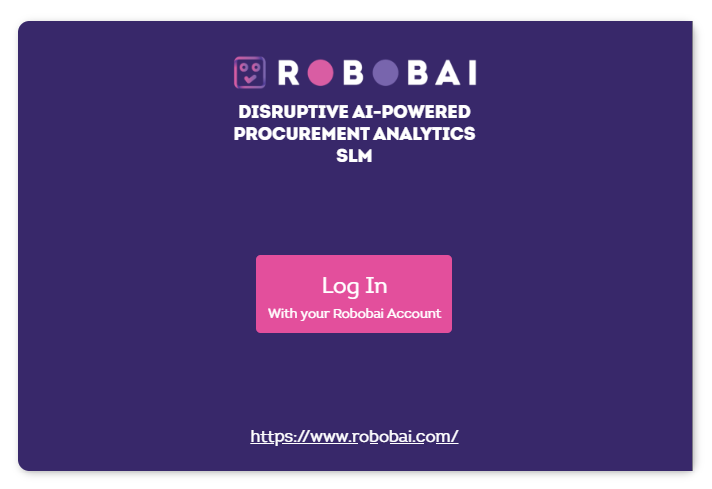
For flexibility and added security, we are using Microsoft and Google authentication mechanisms. As such, if you are a Google user (with a Gmail address for example) or Microsoft user (using Office for example), your respective credentials will automatically log you directly into the SLM platform once you click on the “Log In” button.
If you are not a Google or Microsoft user, you will be asked to set-up an account with Microsoft. Set-up is quick, easy and secure and will ensure an optimal login experience going forward. Please follow the screens as prompted, and when set-up is complete, you will be directed to the screen below.
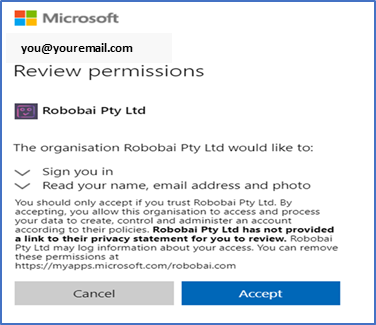
Once you click accept, you will be directed to your personalized SLM landing page where you will be asked to confirm some organizational details, starting with a screen resembling the below.
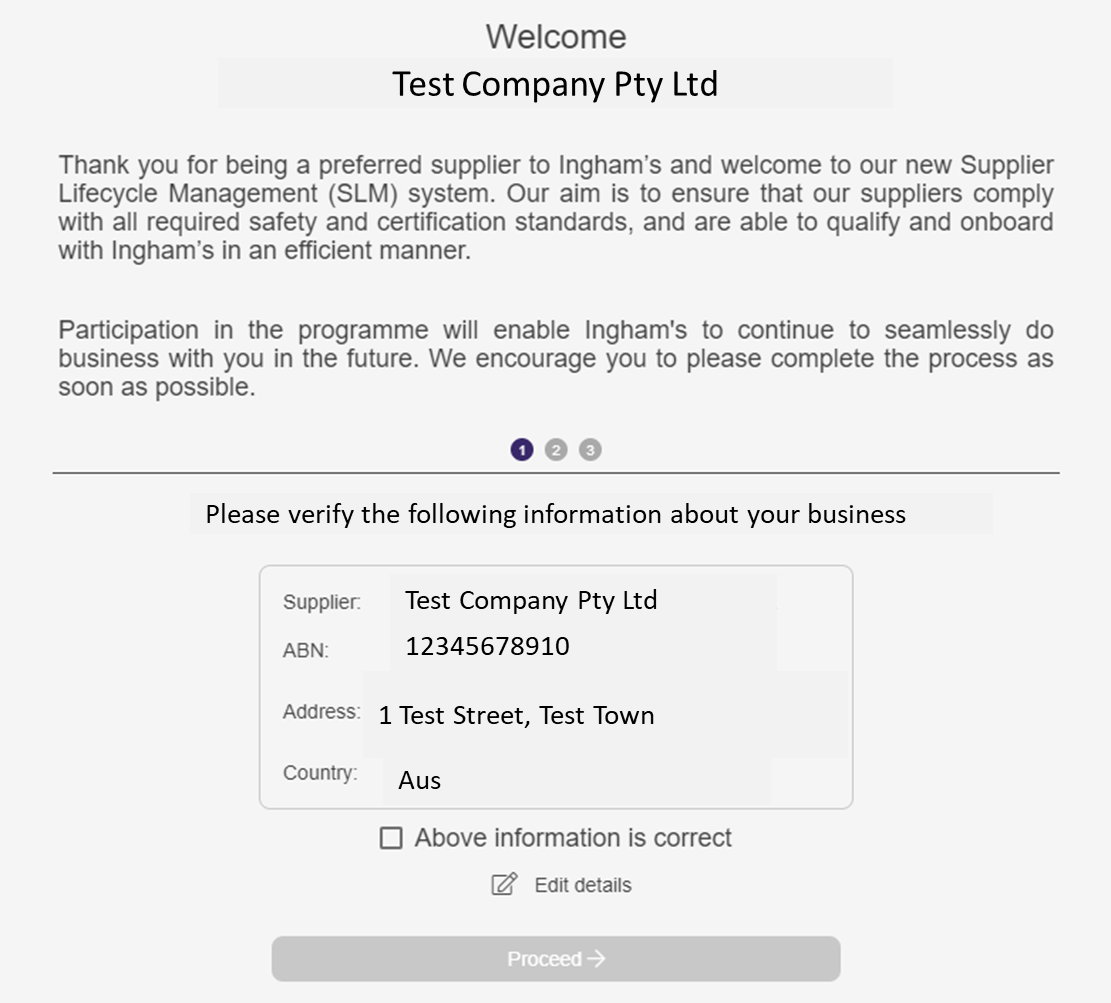
On completion, you will be required to accept our Terms of Use and make a secure payment via our payment engine, Stripe.
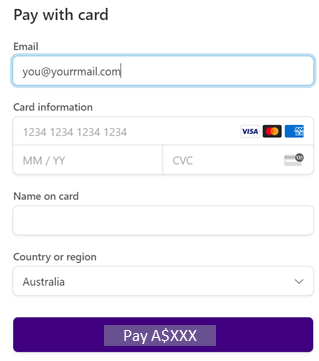
You will now be able to begin your onboarding process. Please ensure that you complete the requirements in a true and accurate manner, and upload any documentation as required.